Contact: 0845 123 2941 or sales@draycir.com
PDF Digital Signatures
Create certified PDF documents!
BUY NOW
Contact: 0845 123 2931 or sales@draycir.com
Contact: 0845 123 2941 or sales@draycir.com
Contact: 0845 123 2931 or sales@draycir.com

Traditionally, a handwritten signature has been used to authenticate a document and verify the identity of the author. But times have changed...
The move from mail to e-mail, from print to paperless, from filing to electronic storage means that it is very often impossible to use traditional handwritten signatures. In fact many of the advantages of using electronic systems fail because at some point a physical signature is still required.
The use of a digital certificate to apply a digital signature to PDF documents enables a person to securely replace their handwritten signature with a Digital ID.

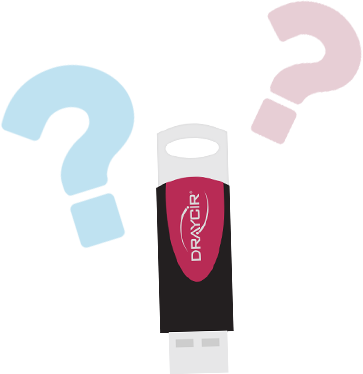
To digitally sign PDF documents, you will need to purchase a digital certificate that is recognised by GlobalSign, an Adobe CDS provider (Adobe Certified Document Services). Your digital certificate is securely stored on an individually validated USB Token that will be shipped to you to use when signing PDF documents.
For a convenient way to apply PDF digital signatures to your PDF documents, you can download (link to PDF Approver download page) and use PDF Approver for FREE.

Handwritten Signature
Digital Signature

Each certificate is issued to an individual within an organisation to apply up to 10,000 certifying or approval signatures a year.
You must be a limited company to purchase certificates.
Click on the question, to see the answer.
Certified Document Services (CDS) is a validation service for electronic documents specifically to attest to the authenticity and integrity of data through industry standard highly ubiquitous software (>800Million installations). Created by the Adobe® Root Certificate authority, CDS enables document authors to sign Portable Document Format (PDF) files, using digital certificates, which then automatically validate when recipients use the freely available Adobe® Acrobat® Reader software. No additional client software or configuration is required and the solution is multi-lingual through the wide variety of languages supported.
CDS was designed to enable organisations and individuals who publish high-value documents to large and disparate recipient groups to increase the assurance level that the document's integrity and authenticity are preserved. By adding Certifying Signatures and Approver Signature(s) to PDF files document authors can increase this assurance level while at the same time reduce the burden of the recipient regarding how to determine if the document can be trusted.
Most digital signatures are referred to as approval signatures. Signatures that certify a PDF are called certifying signatures. Only the first person to sign a PDF (most often, the author) can add a certifying signature. A certifying signature attests to the contents of the document and allows the signer to specify the types of changes allowed for the document to remain certified. Changes to the document are detected in the Signatures panel.
Approval signatures are performed when someone signs a document to show consent, approval, or acceptance. A certified document is one that has a certification signature applied by the originator when the document is ready for use. The originator specifies what changes are allowed.
Valid approval signatures produce a "green check mark" and certified signatures produce a "blue ribbon". Both types of digital signatures provide compliant time stamping services resulting in valid signatures well past the life (Approximately until the year 2030 according to current cryptography strength predictions) of the PDF Signing Digital ID that signed them.
In order to digitally sign, you will need to purchase a digital certificate. You can buy digital certificates from Draycir.
An organisation’s identity is verified by GlobalSign’s vetting team in accordance with the steps described in the PDF Signing for Adobe CDS Certification Practice Statement. Subscribers are vetted and authorised to enrol for a digital ID in their name.
After the enrolment is completed by a representative authorised to bind the organization to the terms of the GlobalSign agreement and by reference the PDF Signing Digital ID for Adobe PDF Certificate Practice Statement, GlobalSign shall verify the Organisation is legitimate using third party verification services such as Qualified Government Information Source.
Digital signatures can be used with Draycir's products Spindle Professional and PDF Approver to sign PDF documents.
In addition they can be used on Adobe® Acrobat® CDS Authoring products such as Acrobat Professional, Acrobat Standard and CDS validation products such as Adobe Reader.
Digital Certificates contain a special extension that supported products will use to gain access to a highly available and highly trusted RFC 3161 trusted clock. This assures relying parties of the exact date and time of the signature.
GlobalSign provides a time stamping service through a highly respected and well known time source Seiko. Each time stamp request to Seiko's servers is digitally signed.
During the install process subscribers are required to personalise their USB token 'passphrase' (aka PIN) with a recommended 8+ mix character secret value. This additional level of security is required by the PDF Signing for Adobe CDS Certification Practice Statement. Subscribers are responsible for remembering the value and will be permanently locked out of their USB token after (10) failed attempts.
If the token is locked it must be initialised and a new certificate installed. You can do this by contacting your Certificate Administrator - Draycir. The admin charge for reinitialised tokens is £50.
Contact Draycir Sales on Tel +44 (0)845 123 2941 to learn more.